
Get numbers from
Asking questions
“What was the revenue by region last quarter?” The assistant queries the app directly, providing actual figures without the need for chart building, set analysis, or waiting for someone else’s dashboard.

Talk to your Qlik apps
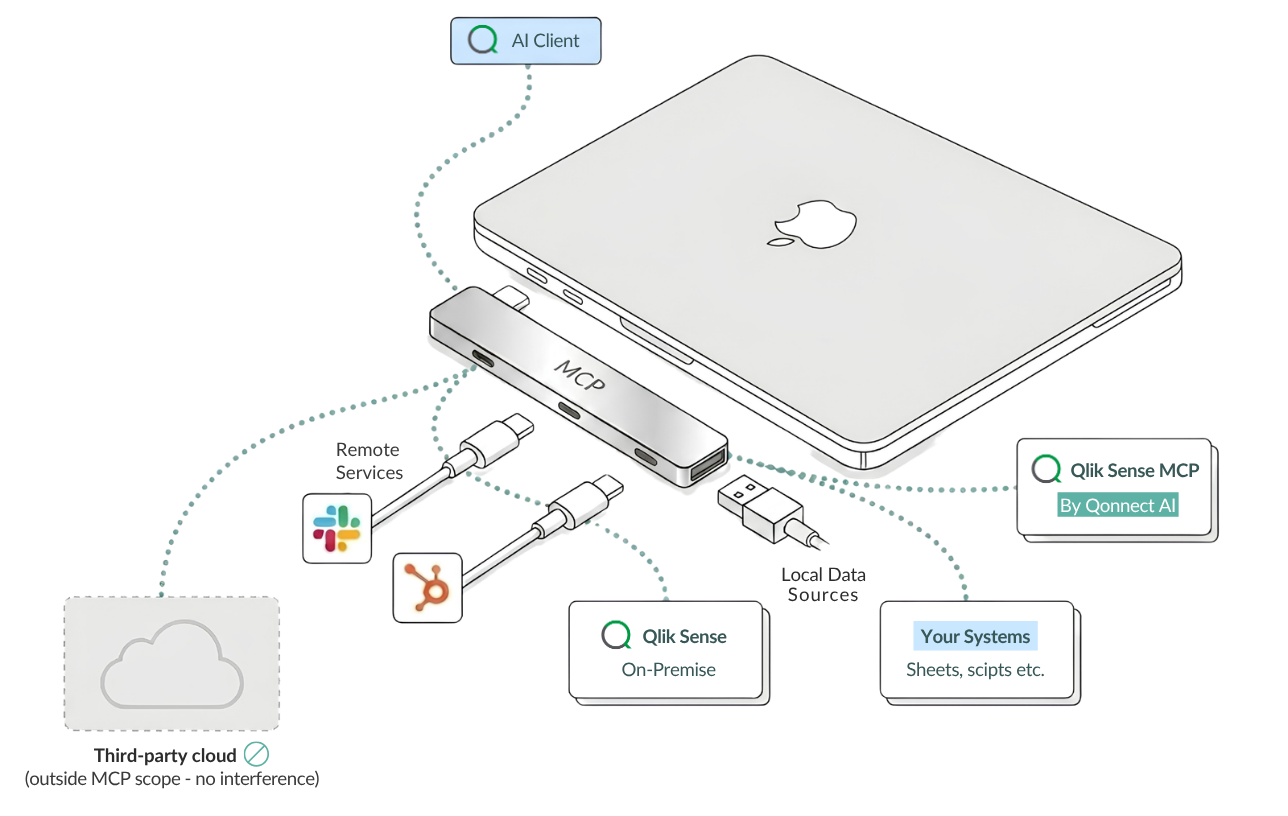
MCP for Qlik Sense connects an AI assistant directly to your Qlik Sense on-premise environment.
Ask questions in plain language — the assistant queries your apps and comes back with real numbers.
It can explore data, build sheets and charts, and even work on load scripts. All behind your own login, with each person’s existing Qlik permissions.
Runs on your own infrastructure · No shared service accounts · Your access rules stay in Qlik
Your data is in Qlik, while
Every day, business questions are answered slowly: someone opens the Hub, clicks through filters, takes a screenshot of a chart, and pastes it into an email.
Meanwhile, developers spend hours drafting sheets and hunting through load scripts.
Meanwhile, AI assistants are everywhere, but they can’t access the data that matters most.
MCP for Qlik Sense closes that gap.
Get numbers from
“What was the revenue by region last quarter?” The assistant queries the app directly, providing actual figures without the need for chart building, set analysis, or waiting for someone else’s dashboard.

Explore
Apply selections, filter to a category, check what’s in focus, clear a filter. All in conversation.

Build and
Create sheets, charts, filters, and reusable master dimensions and measures — and apply your styling. “Make this dashboard follow our brand colours” is a valid request.

For developers
Read, search, and edit the data load script, then reload the app. Rename CustNo to CustomerID everywhere in the script. With versioned edits, you can roll back.

Context
Ask what apps you have access to, what fields and tables are inside them, and how the data model fits together.
Who is it for?
Up and running in about an hour.
1.
Two ready-built images plus a front door that terminates TLS. It runs on your own infrastructure.
2.
One JWT virtual proxy tells Qlik to trust the bundle to sign your people in. That’s the only change inside Qlik.
3.
Let people sign in with their normal company account, or use local accounts for a trial.
4.
Each person adds the bundle once in their own client. Works with any AI client that supports custom connectors, such as Claude Desktop.


Every action runs as the person asking
Everyone signs in with their own account, and each request uses that person’s exact Qlik permissions.
There is no shared service account or back door, and everything is fully traceable.
The assistant only makes changes to a person’s unpublished apps and uses versioned script edits that can be rolled back.
The bundle runs on your infrastructure and communicates only with your Qlik site.
The setup adds a single virtual proxy, so colleagues who don’t use the assistant won’t notice a difference.

Get contacted by our Qlik-team for an offer
Want to convince your manager, that an MCP for Qlik Sense On-Premise (client-managed) is your organizations’ best next investment? Download and share the study below with them.
License tiers:
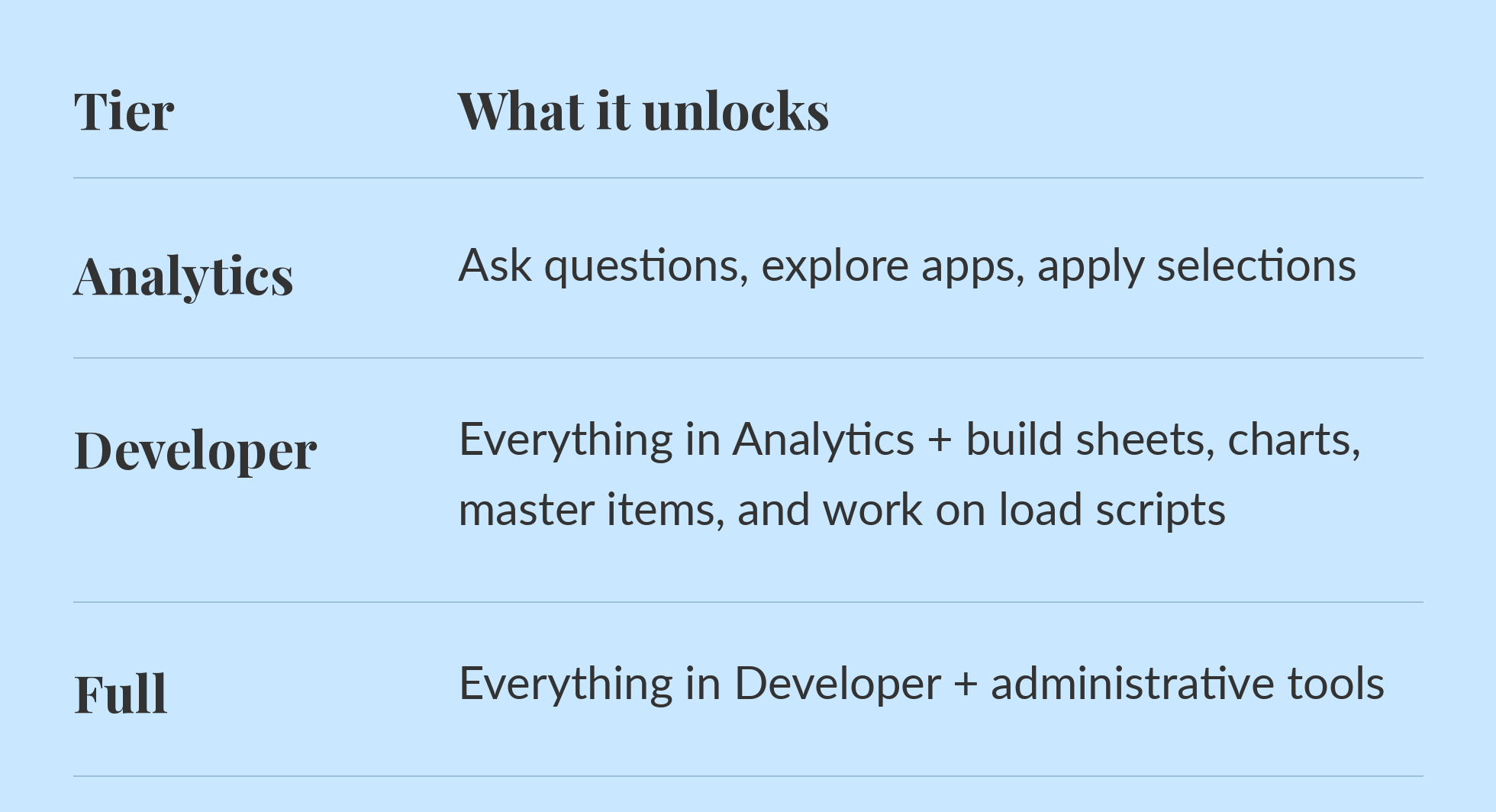
Tiers are additive. Moving up is a licence change and does not require a new installation.
Just browsing?